
How to Sign Up
This guide explains each field on the Greeksinsight Sign Up form and walks you through the account verification (confirmation code) process. Follow these steps to create an account and verify your email quickly and securely.
Before you start
- Have an email address you can access immediately (you’ll receive a verification code).
- Choose a unique username you will remember.
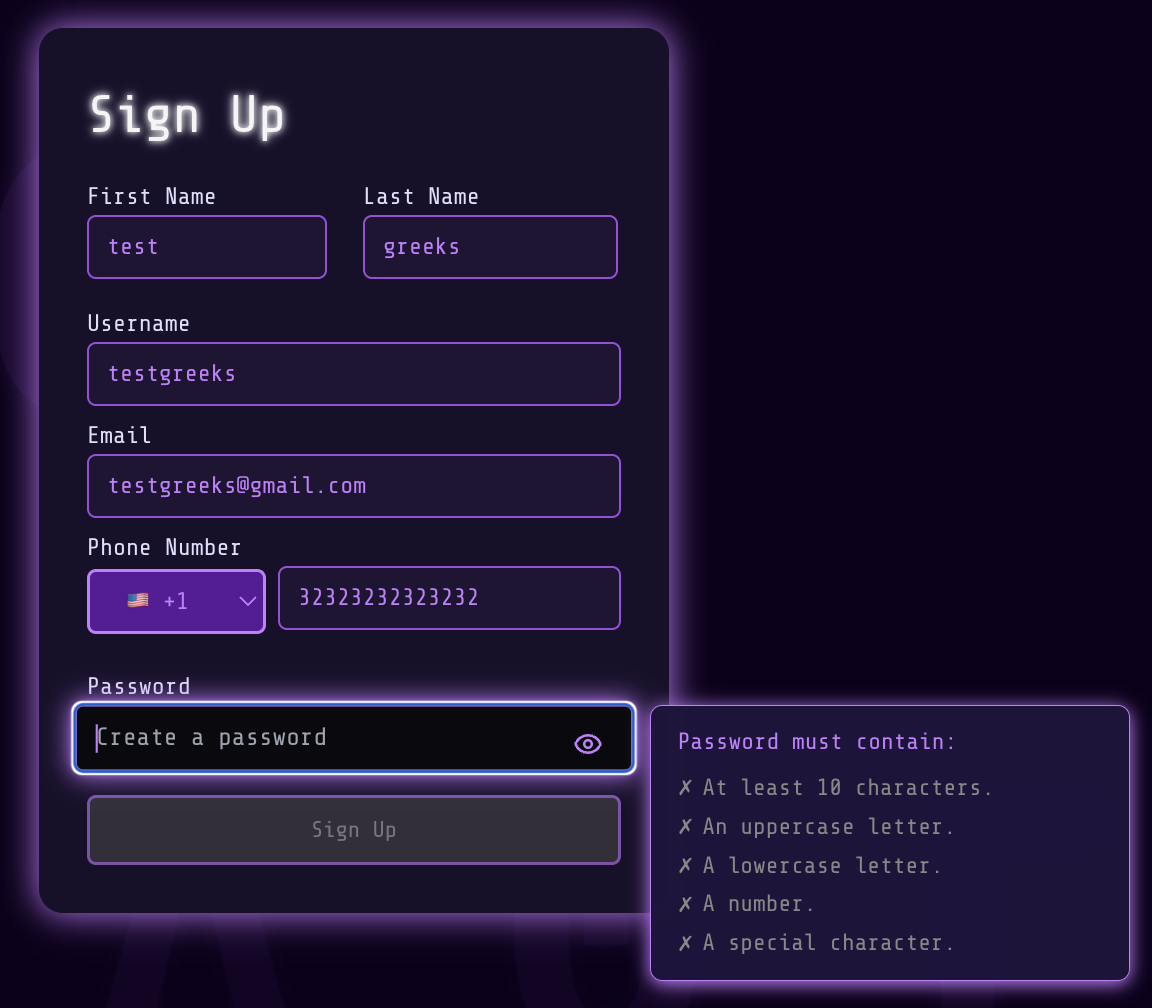
Field-by-field explanation
First Name
- What: Your given name.
- Why: Used to personalize messages and support interactions.
- Tips: Use the name you prefer to be addressed by; special characters are usually allowed but avoid emojis.
Last Name
- What: Your family or surname.
- Why: Helps with account identification and support.
Username
- What: A public identifier for your account.
- Why: Used for personalization and may appear in some shared links or community features.
- Tips: Must be unique. Use letters, numbers, underscores; avoid spaces. If your chosen username is taken, try adding numbers or a short adjective.
- What: Your email address (example: name@example.com).
- Why: Required for account notifications, password resets, and to receive the verification code.
- Tips: Double-check for typos. We recommend using an email you check frequently.
Phone Number and Country
- What: Country selector and phone number field.
- Why: Used for SMS verification or account recovery (if enabled).
- Format: Enter only digits in the phone field; the country selector prefixes the correct international dial code.
- Tips: Choose your country from the dropdown first, then type the phone number without the leading zero or plus sign.
Password
- What: Your account password.
- Why: Protects access to your account and any saved data.
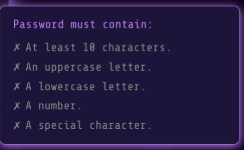
- Requirements: (examples — the exact rules may be shown on the site while you type)
- At least 10 characters
- At least one uppercase letter (A–Z)
- At least one lowercase letter (a–z)
- At least one number (0–9)
- Tips: Use a passphrase or a combination of words and characters. Avoid reusing passwords from other sites. Consider using a password manager.
- Show/Hide Toggle: Click the eye icon to reveal or hide the password while typing. This helps avoid mistakes on mobile devices.
Submit / Sign Up button
- The button becomes active once required fields are valid. If it is disabled, check for missing or invalid inputs (e.g., invalid email format or failing password rules).
After you submit — verification (confirmation code)
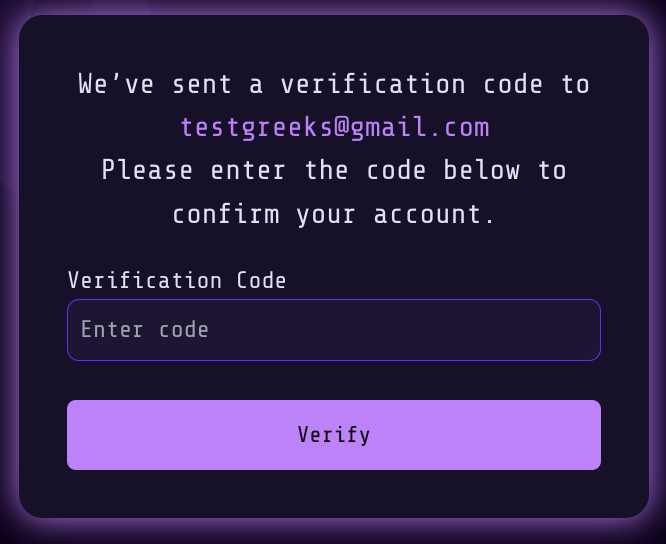
- Immediately after you sign up, we will send a verification code to the email address you provided.
- Open your email inbox and look for an email from Greeksinsight with the subject like: “Your verification code”. The code is typically a short numeric or alphanumeric string.
- If you don’t see the email within a few minutes:
- Check your Spam or Promotions folder.
- Make sure you entered the correct email address during sign up.
- Enter the code exactly as shown in the email and click “Verify”.
- Once verified, you will receive a confirmation message and can proceed to log in and use your account.
Resend code and expiration
- Codes typically expire after a short period (for example, 10–30 minutes). If your code expires, connect with the support team for assistance at contact@greeksinsight.com
- For security, limit automated resend attempts; if you’re blocked from resending, wait a few minutes or contact support.
Common issues & troubleshooting
- “I never received the code”: Verify the email address and check spam/promotions folders. Try resending the code.
- “My code expired”: Request a new verification code and complete verification promptly.
- “Username already taken”: Try adding numbers or a short adjective to make it unique.
If problems persist, contact support at [support email] with details (email address used, time of attempt, and a screenshot if possible).
What’s Next
- Now you can try login to Greeksinsight with the credentials you used for Sign up.
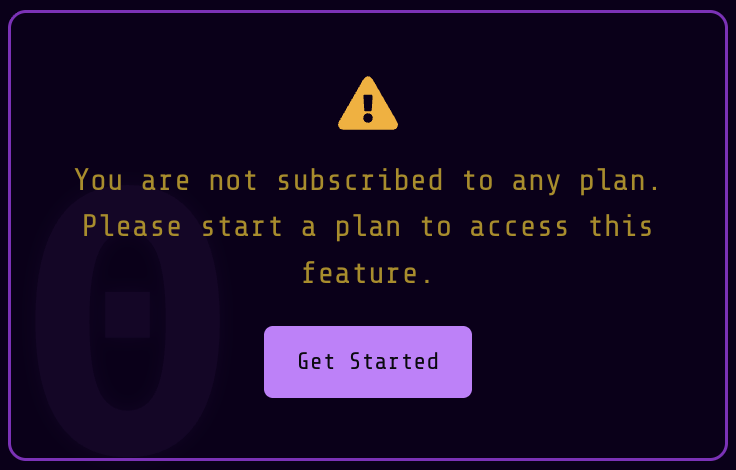
- There are bunch of few features are availabe for every logged in user but for all GEX dashboard you will get following message untill subscribed to a plan.
Accessibility & tips
- Keyboard: All fields can be filled and submitted using keyboard navigation (Tab to move; Enter to submit when focused on the button).
- Screen readers: Labels are provided for inputs — if you encounter accessibility issues, please report them to support.